
APItoMCP Case Study
1. Case Overview
This case study aims to provide a detailed explanation of the complete process of creating an instance from the instance management page by selecting the custom mode, with a focus on the filling standards for basic information in custom mode, providing clear operational guidance for users.
2. Prerequisites
The user has successfully logged into the system and has permission to access the instance management page;
The basic information required for instance creation has been clarified (such as name, access mode, MCP protocol related configurations, etc.);
The MCP server has been deployed and is accessible normally.
3. Operation Steps
3.1 Enter the Instance Creation Page
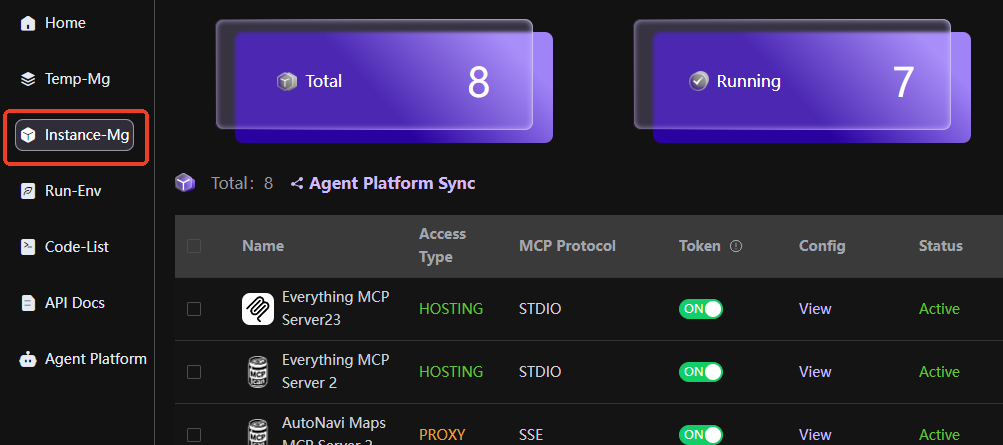
After logging into the system, find and click [Instance Management] in the left navigation bar to enter the instance management page;
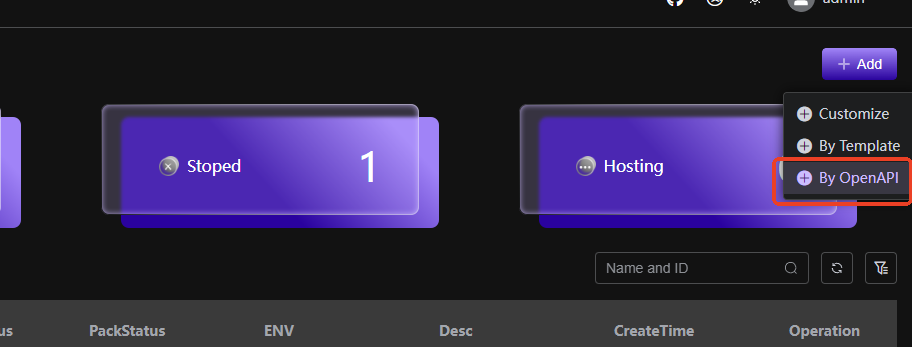
In the upper right corner of the instance management page, click the [Import OpenAPI] button to pop up the instance creation options form.
3.2 Select Import OpenAPI Creation Mode
In the pop-up instance creation options window, three creation modes are displayed (subject to the actual system), select [Import OpenAPI];
Click the [Import OpenAPI] option to enter the form for creating an Import OpenAPI instance.
3.3 Fill in Basic Information for OpenAPI Document
 !
!
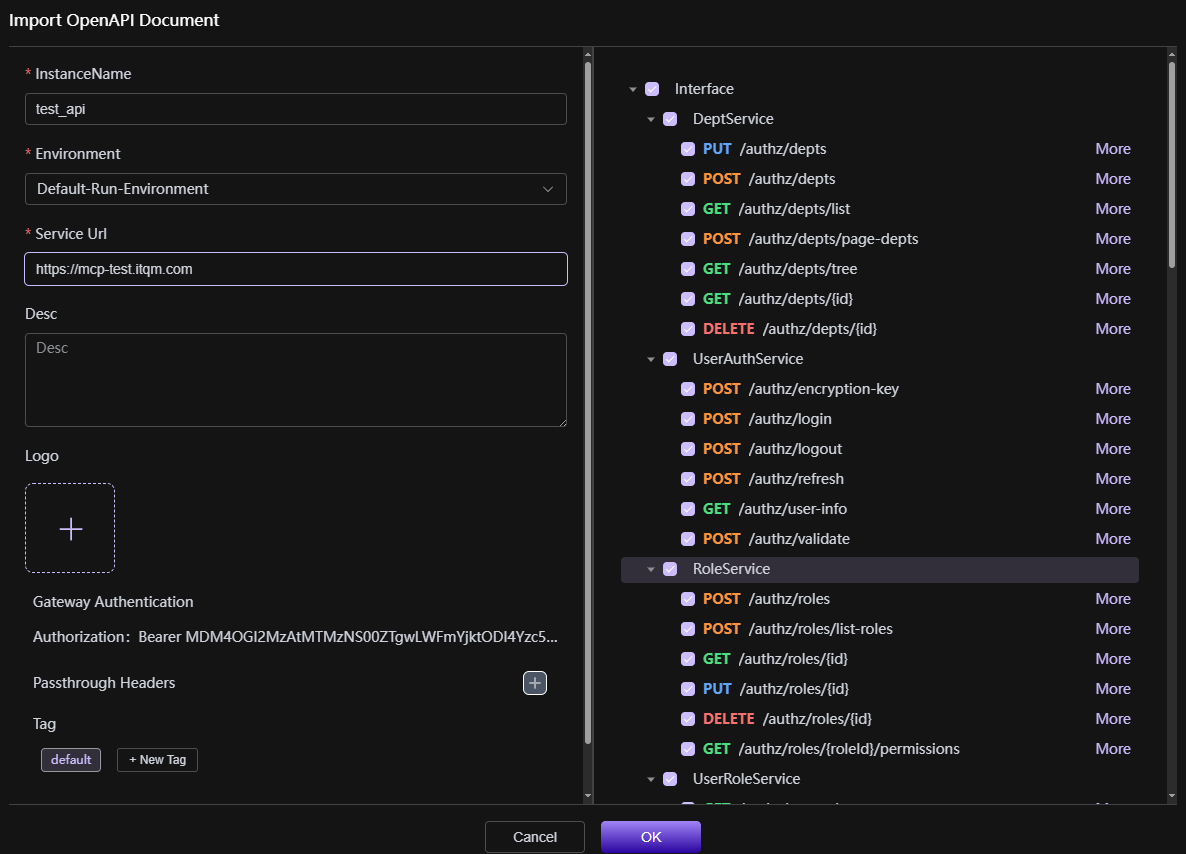
After entering the form filling page, complete the following information in sequence according to the page prompts:
Name: Enter the name of the instance, the name must comply with the system naming conventions (such as length limits, special character restrictions, etc., subject to the actual system requirements), it is recommended that the name is clear and easy to understand, and can accurately identify the purpose of the instance;
Environment Selection: Click the drop-down box to select from the available container environments
Service Address: According to actual business needs, fill in the corresponding service address
Description: Enter the relevant description information of the instance, briefly explain the purpose and applicable scenarios of the instance, to facilitate subsequent management and maintenance of the instance.
Upload OpenAPI Document: Upload the interface document, and only supports OpenAPI 3.0.0 and above versions in YAML or JSON format files.