Contributing Content to MCPCAN Documentation
🎉 MCPCAN Help Documentation is calling you to get involved! This is an open-source treasure project, and we super welcome everyone to contribute in various ways~
If you find bugs while reading the documentation, want to make suggestions, or feel like adding content, just head to GitHub! Submit an issue to complain / give advice, or initiate a pull request to directly edit, and we'll respond quickly without letting down your enthusiasm~
How to Submit Contributions
We categorize documentation issues into the following types:
● Content Corrections (typos / incorrect content)
● Missing Content (need to add new content)
Content Corrections
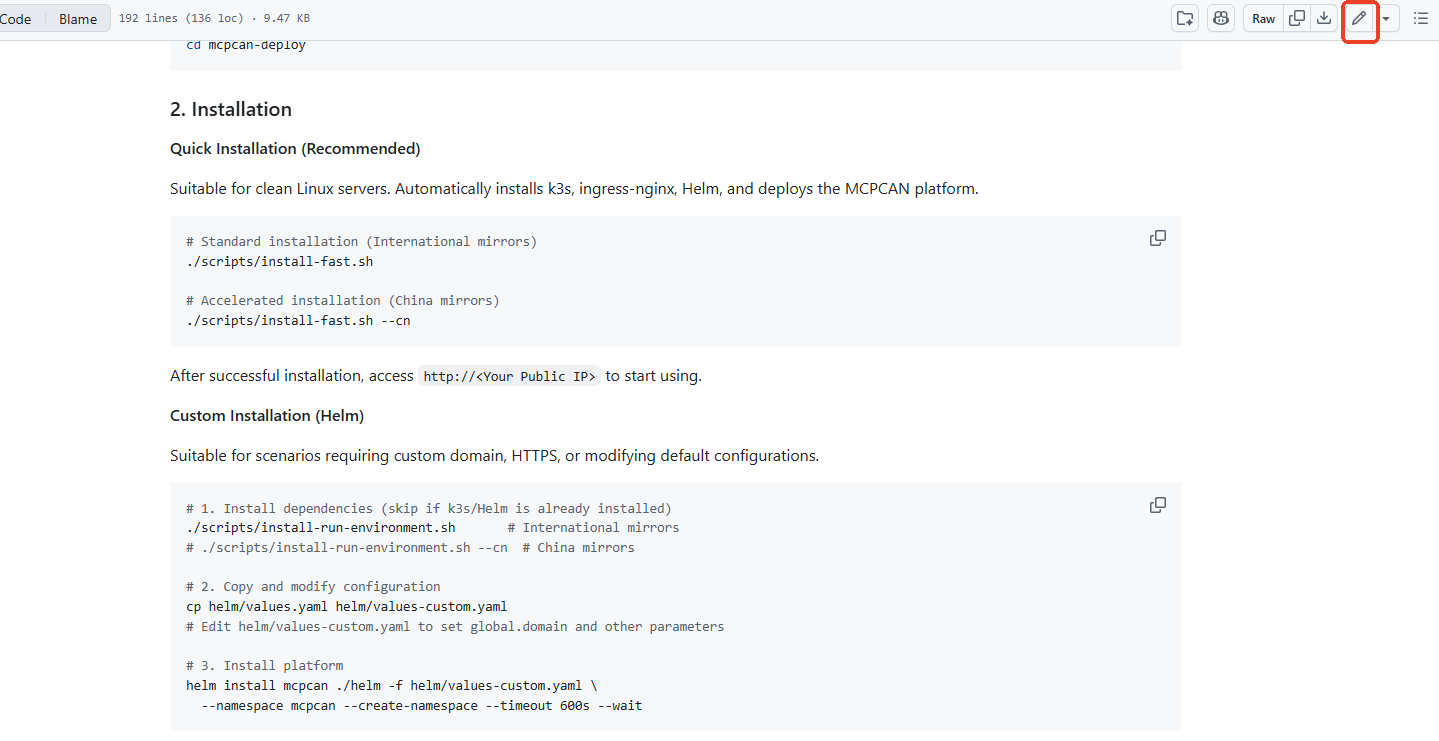
If you find content errors while reading a document, or want to modify some content, please click the "Edit on GitHub" button in the table of contents on the right side of the document page, use GitHub's built-in online editor to modify the file, then submit a pull request and briefly describe the changes. Please use the title format Fix: Update xxx, and we will review after receiving the request and merge your changes if correct.
 Of course, you can also post the document link on the Issues page and briefly describe the content that needs to be modified. We will process it as soon as we receive the feedback.
Missing Content
If you want to submit new documents to the code repository, please follow these steps:
- Fork the code repository
First, fork the code repository to your GitHub account, then use Git to pull the repository locally:
git clone https://github.com/<your-github-account>/mcpcan-docs.gitYou can also use GitHub's online code editor to submit new md files in the appropriate directory.
- Find the corresponding document directory and submit the file
For example, if you want to submit documentation for third-party tools, please submit a new md file in the /guides/tools/tool-configuration/ directory (it is recommended to provide content in both Chinese and English).
- Submit a pull request
When submitting a pull request, please use the format Docs: add xxx, and briefly describe the general content of the document in the description field. We will review after receiving the request and merge your changes if correct.
Best Practices
We very much welcome you to share innovative application cases built with MCPCAN! To help community members better understand and reproduce your practical experience, it is recommended to organize the content according to the following framework:
1. Project Introduction
   - Application scenarios and problems solved
   - Introduction to core functions and features
   - Final effect display

2. Project Principle/Process Introduction

3. Pre-preparation (if any)
   - Required resource list
   - Tool dependency requirements

4. MCPCAN Platform Practice Steps (Reference)
   - Application creation and basic configuration
   - Detailed application process construction
   - Key node configuration instructions

5. Common Issues
To facilitate user understanding, it is recommended to add necessary explanatory screenshots to the article. Please submit image content in the form of online image links. We look forward to your wonderful sharing and work together to help accumulate knowledge in the MCPCAN community!
Get Help
If you encounter difficulties or have any questions during the contribution process, you can raise your questions through the relevant GitHub issues.